
In This Article
Introduction: Cook Unity vs Factor, Explained
If you’ve narrowed your ready-to-eat meal delivery search down to two names, it’s almost always these two. Cook unity vs factor is one of the most searched meal-delivery matchups in the US right now, and for good reason: both promise zero cooking, both land in a similar price range, and both ship refrigerated meals you can heat in a couple of minutes. But that’s roughly where the similarities end.
What is cook unity vs factor, in one sentence? CookUnity (the brand behind the “cook unity” name) is a chef-driven marketplace where 50-plus independent chefs contribute rotating, restaurant-style dishes, while Factor is a single-kitchen, dietitian-designed service built around macro-labeled diet plans like keto, high-protein, and calorie-smart. One optimizes for flavor and variety, the other for nutritional precision and consistency.
This guide breaks the decision down honestly: how the two services actually differ in taste, structure, pricing, and everyday performance, plus the accessories that genuinely make either delivery box work better once it hits your fridge. We’ll also cover the practical side nobody talks about in the marketing copy — food safety, subscription cancellation rules, and the gear that turns a stack of plastic trays into an organized, sustainable routine. This article contains affiliate links; as an Amazon Associate, we may earn from qualifying purchases at no extra cost to you.
By the end, you should know not just which service fits your goals, but exactly what to do with the box once it lands on your porch.
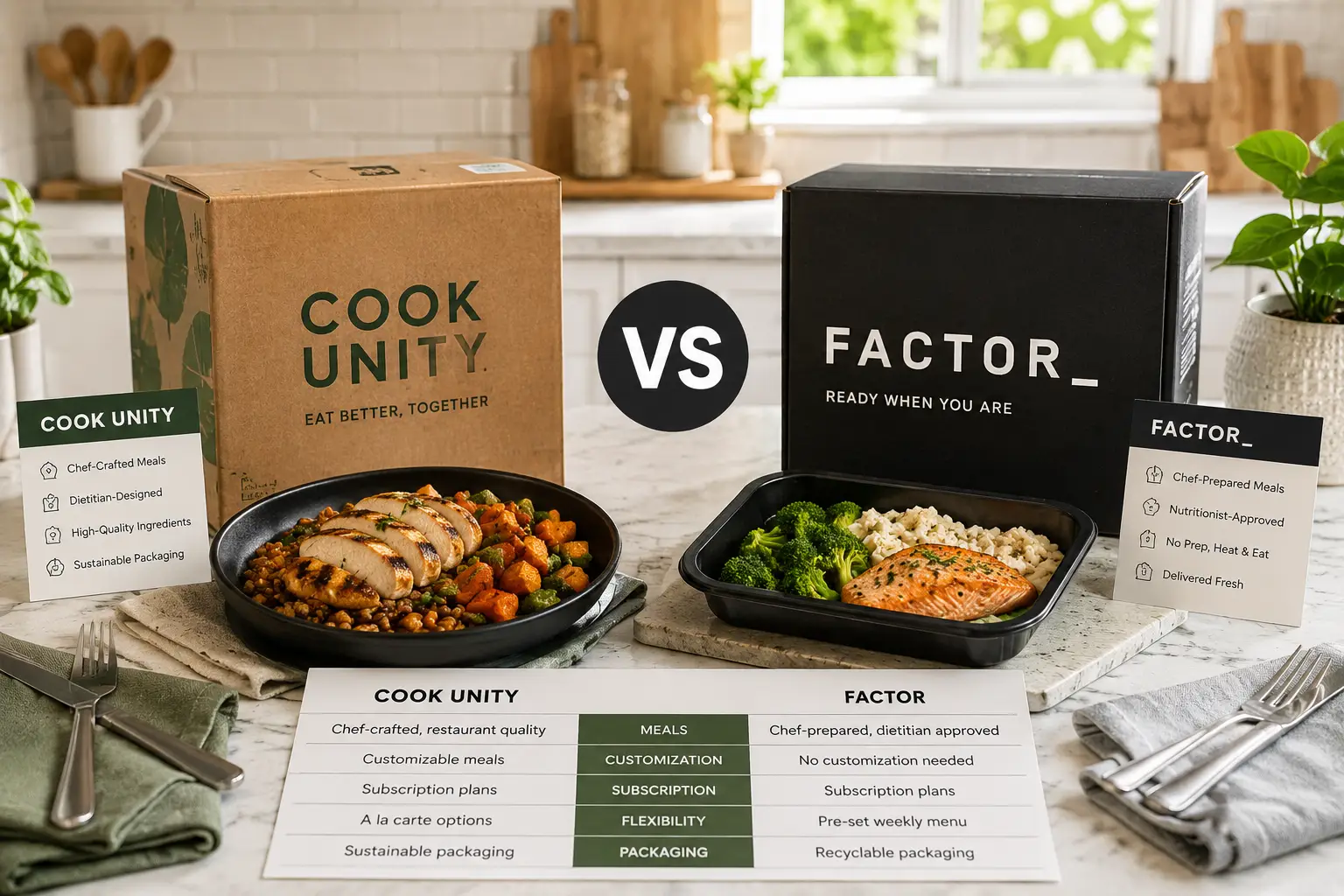
Cook Unity vs Factor: Quick Comparison Table
| Category | CookUnity | Factor |
|---|---|---|
| Meal source | 50+ independent chefs, rotating catalog | Single dietitian-designed kitchen |
| Weekly menu size | 100+ dishes | 35+ dishes |
| Price per meal | Roughly $11–$14 | Roughly $11–$16 |
| Minimum meals/week | 4 | 6 |
| Diet plan structure | Dietary filters (keto, vegan, low-sodium, etc.) | 5+ structured plans (Keto, Protein Plus, Calorie Smart) |
| Best for | Culinary variety, flexible commitment | Macro tracking, structured nutrition |
Reading the table above, the split is clear: CookUnity wins on flexibility and sheer menu size, which matters if your schedule shifts week to week or you cook for a household with different tastes. Factor, on the other hand, is built for people who want a specific number of grams of protein or a defined calorie ceiling on every single plate, without having to calculate it themselves. Neither is objectively “better” — the right pick depends on whether you’re optimizing for what you eat or how precisely you can measure it.
💬 Curious which one fits your goals? Keep reading — the breakdown below covers pricing, GLP-1 suitability, and the gear that makes either one easier to live with.
Top 7 Amazon Picks to Get More Out of Your Meal Delivery Box
Neither CookUnity nor Factor requires extra equipment — that’s the entire pitch. But after a few weeks of either service, most subscribers run into the same friction points: portions that don’t match your appetite, trays that don’t microwave evenly, no good way to transport a reheated meal to the office, and a fridge full of single-use plastic. The seven products below solve those specific problems. They’re not required, but they’re the difference between “surviving” a subscription and actually building a sustainable routine around it.
1. Rubbermaid Brilliance BPA-Free Food Storage Containers — leak-proof splitting and freezing
If you routinely can’t finish a full Factor or CookUnity tray in one sitting, this is the cheapest fix. The Rubbermaid Brilliance line uses a crystal-clear Tritan shell with a four-latch, gasket-sealed lid, which in practice means you can portion out half a delivered meal, seal it, and toss it in a bag without a leak — something a flimsy takeout-style lid can’t promise. The stackable, nesting design also means the containers actually fit your fridge shelf instead of sliding around.
What most buyers overlook is that these containers are freezer-safe as well as microwave-safe, so if a CookUnity chef sends an oversized portion, you can freeze the extra half instead of letting it go bad. Based on comparing this line against basic snap-lid containers, the airtight seal is the real upgrade — it keeps sauces from leaking and prevents your fridge from smelling like last night’s curry. Reviews consistently report that the latches hold up over months of daily use, though a handful of buyers note the lids can be tricky to line up when your hands are full.
Pros:
- ✅ Airtight, leak-proof seal for splitting oversized portions
- ✅ Freezer, microwave, and dishwasher safe
- ✅ Stackable design that actually saves fridge space
Cons:
- ❌ Four-latch lids take a bit of practice to close quickly
- ❌ Larger sets take up real cabinet space when nested
Sets typically run in the $20–$40 range depending on piece count, and given how often a repackaging container gets used, it’s one of the better cost-per-use buys on this list.
2. Pyrex Simply Store Glass Storage Set — reheating without the plastic
Some Factor and CookUnity subscribers specifically want to get food out of the plastic tray it arrived in before microwaving, either for taste reasons or general preference around not heating food in plastic. The Pyrex Simply Store set is the obvious answer: tempered glass bases that go from fridge to microwave to oven, paired with BPA-free plastic lids that snap on for storage but come off before heating.
The practical upside here is durability more than anything glamorous. Glass doesn’t stain from CookUnity’s turmeric- or tomato-heavy sauces the way plastic containers eventually do, and it doesn’t warp after repeated microwave cycles. What the spec sheet doesn’t say, but long-term reviews reveal, is that the glass bases are genuinely oven-safe up to standard baking temperatures, which matters if you prefer to reheat a Factor tray in a toaster oven instead of a microwave for better texture.
Pros:
- ✅ Glass base is oven, microwave, fridge, and freezer safe
- ✅ Doesn’t stain or retain odors from sauce-heavy meals
- ✅ Snap lids create an airtight seal for leftovers
Cons:
- ❌ Heavier and more breakable than plastic alternatives
- ❌ Bulkier to pack for lunches on the go
Expect to pay somewhere between $25 and $45 for a multi-piece set, with larger bundles offering a lower per-container cost.
3. Bentgo Prep 2-Compartment Glass Meal Prep Containers — built-in portion control
This is the pick for anyone using Factor‘s Calorie Smart or Protein Plus plans and wanting to physically separate a protein from a starchy side, or for CookUnity subscribers who want to split a large chef-made plate into two controlled portions ahead of time. The two-compartment glass trays are embossed with volume markers, so you’re not guessing at portion sizes — a detail that matters for anyone actually trying to hit a macro target rather than eyeball it.
The compartments are oven-safe, not just microwave-safe, which sets this apart from most budget meal-prep sets. Based on comparing this to single-compartment tubs, the divided design does real work here: it stops sauces from soaking into a side dish and keeps textures — think crispy chicken skin next to rice — from turning soggy in the fridge overnight. Reviews consistently mention the ribbed lids are easy to snap on one-handed, though a few buyers note the glass adds noticeable weight if you’re packing a bag for the gym or office.
Pros:
- ✅ Embossed volume markers support accurate macro tracking
- ✅ Oven-safe glass, not just microwave-safe
- ✅ Divided compartments keep sauces and sides separate
Cons:
- ❌ Heavier to carry than plastic compartment trays
- ❌ Multi-piece sets take up more freezer space
Pricing varies widely by set size, generally landing between $15 and $50, so it’s worth checking the current listing for the piece count that matches your weekly meal volume.
4. Stanley Classic Legendary Food Jar — keeps a reheated meal hot for hours
If you’re reheating a Factor or CookUnity meal at home before heading to work or class, this vacuum-insulated food jar solves the “cold by lunchtime” problem entirely. The double-wall stainless steel construction is rated to keep hot food hot for several hours, which in practice means a meal reheated at 7 a.m. is still steaming at noon — something no microwave-safe tray or plastic container can do.
What most buyers overlook with this jar is that it’s not just for soup. The wide mouth fits solid foods like Factor’s protein-and-grain bowls just as easily as a broth-based dish, and the leak-resistant gasket means it can go in a bag without worry. Based on comparing insulated jars across price points, the Stanley’s stainless interior and lifetime warranty are what separate it from cheaper alternatives that lose heat retention within a year of daily use. Aggregated customer feedback consistently praises the actual insulation performance; the most common critique is that the jar is on the heavier side for a daily commute.
Pros:
- ✅ Holds hot food hot for several hours, verified through repeated use
- ✅ Wide mouth accommodates solid meals, not just soup
- ✅ Backed by a lifetime manufacturer warranty
Cons:
- ❌ Heavier than a standard plastic lunch container
- ❌ Hand-wash recommended, which adds a step to cleanup
Expect a price in the $35–$50 range, positioning it as a mid-tier investment that pays off if you regularly eat delivered meals away from home.
5. YETI Daytrip Lunch Bag — insulated protection for delivery days
Both CookUnity and Factor ship in an insulated box with gel packs, but that cold chain ends the moment you unbox everything into your fridge. This insulated lunch tote picks up where the delivery box leaves off, whether you’re carrying a reheated meal to the office or need to hold a couple of trays cold if your fridge is already packed after a big delivery day.
The distinguishing feature here is the fully wipeable, puncture- and stain-resistant liner, paired with a wide-mouth opening that fits a stack of trays rather than forcing you to load them sideways. Honest analysis grounded in the spec sheet: this is a premium price point for what is, functionally, a lunch bag — but the closed-cell foam insulation genuinely holds a colder internal temperature for longer than typical fabric-lined totes, which matters on a hot commute. Reviews consistently highlight the durability of the exterior fabric after months of daily use, while some buyers note the price is hard to justify next to a basic insulated tote.
Pros:
- ✅ Wide-mouth design fits multiple meal trays upright
- ✅ Wipeable, puncture-resistant liner simplifies cleanup
- ✅ Closed-cell foam holds cold temperatures longer than fabric totes
Cons:
- ❌ Premium price relative to basic insulated lunch bags
- ❌ Bulkier profile than a minimalist tote
This is the high-end pick on the list, typically priced between $60 and $80, and it’s the one item here you could skip entirely if you’re eating every meal at home.
6. Nordic Ware Microwave Splatter Cover — mess-free reheating
This is the smallest, cheapest fix on this list, and arguably the one that gets used the most. Factor and CookUnity trays both go straight into the microwave, and sauce-heavy dishes — think a curry from CookUnity or a saucy chicken dish from Factor — tend to splatter, leaving a mess that eventually needs scraping off the microwave ceiling. This vented dome cover traps splatter while still allowing steam to escape, which also means more even reheating than covering a tray loosely with a paper towel.
The practical value here is almost entirely about convenience rather than performance, and that’s fine — not every product on a meal-delivery accessory list needs to be transformative. What the spec sheet doesn’t say, but everyday use reveals, is that the raised dome shape keeps the cover from touching sauce-topped food, avoiding the sticking issue that flatter covers run into. Aggregated reviews consistently describe it as a “why didn’t I buy this sooner” purchase given the price point.
Pros:
- ✅ Vents steam while blocking splatter for even reheating
- ✅ Dome shape prevents sticking to sauce-topped meals
- ✅ Dishwasher-safe and easy to store
Cons:
- ❌ Large size can be awkward in a small microwave
- ❌ Purely functional — no insulating or cooling properties
At under $15 in most cases, this is the easiest impulse add-on for anyone microwaving delivered meals daily.
7. ThermoPro TP19H Digital Instant-Read Food Thermometer — a food-safety check, not a guess
This is the one item on the list that isn’t about convenience — it’s about food safety, and it’s especially worth mentioning given how many Factor and CookUnity meals contain poultry, seafood, or ground meat that was cooked once by the manufacturer and needs to be reheated properly, not just warmed. The USDA recommends reheating leftovers and prepared foods to an internal temperature of 165°F, and a splatter cover or stir won’t confirm that a microwave’s uneven heating actually got there — a thermometer will.
The ThermoPro TP19H reads a temperature in a few seconds and has a rotating, backlit display that’s easy to read at odd angles, which matters when you’re checking the center of a dense protein like a chicken breast rather than a thin cut. Based on comparing it against basic dial thermometers, the digital instant-read design is meaningfully faster and more accurate, particularly for anyone with a compromised immune system, an older family member, or young kids eating from the same delivery box — populations where the USDA’s guidance on reheating leftovers matters more, not less. Reviews consistently note the calibration holds steady over time, with the main complaint being that the backlight can be a bit dim in bright daylight.
Pros:
- ✅ Reads accurate internal temperature in a few seconds
- ✅ Backlit, rotating display for easy reading
- ✅ Confirms food safety instead of guessing by microwave time
Cons:
- ❌ Backlight can be hard to see in direct sunlight
- ❌ Requires a battery that needs periodic replacement
This is a budget-tier pick, generally priced under $20–$25, and arguably the most overlooked item on this entire list given how directly it ties to food safety.
How to Get the Most Out of Your First Month With CookUnity or Factor
The first few weeks with either service are where most people either build a habit or quietly let their subscription go stale in the fridge. A few practical adjustments make the difference. First, treat the ordering cutoff like a recurring bill: CookUnity requires you to select meals by a weekly cutoff (commonly midweek) or it auto-fills your box based on past preferences, while Factor locks in your plan and count by its own weekly deadline. Missing either one means paying for meals you didn’t actively choose.
Second, don’t order the maximum plan size in week one. Start with a smaller weekly count from either CookUnity or Factor, confirm the portion sizes actually match your appetite, and scale up once you know how many meals you’ll realistically eat before the recommended four-to-five-day freshness window closes. Third, use your first month to test dietary filters aggressively — Factor‘s Protein Plus or Keto plans and CookUnity‘s dietary tags exist specifically so you’re not manually reading every nutrition label. Finally, log deliveries on a calendar the moment they’re confirmed; both services bill automatically ahead of the cutoff, and a missed skip is the single most common complaint in aggregated customer reviews for either brand.
Real-World Scenarios: Which Service Fits Your Life
The busy professional who eats lunch at a desk. If your priority is fast, structured nutrition you don’t have to think about, Factor‘s macro-labeled plans and six-meal minimum make sense for a five-day work week — pair it with the Stanley food jar above and lunch stays hot from the morning reheat to noon.
The household that wants variety, not repetition. A couple or family sharing meals tends to get more mileage from CookUnity‘s 100-plus weekly rotation and lower four-meal minimum, since different people can pick different chefs’ dishes without committing to a single week-long theme the way some kit-based services require.
The GLP-1 medication user managing reduced appetite. Smaller, protein-forward, less heavy meals tend to work better here, and both services offer relevant options — Factor‘s Calorie Smart plan targets a defined calorie ceiling, while CookUnity‘s chef-prepared dishes lean toward nutrient-dense, less processed profiles. Splitting a CookUnity portion using the Bentgo Prep containers above is a practical way to manage reduced appetite without wasting food.
The student or irregular schedule. CookUnity‘s lower four-meal weekly minimum and skip-anytime policy suit an unpredictable schedule better than Factor‘s six-meal floor, which assumes a more consistent weekly routine.
Common Problems and Solutions With Meal Delivery Services
Even a well-matched service runs into friction. Here are the recurring issues and practical fixes.
Problem: Portions don’t match your appetite. Whether you’re consistently left hungry or unable to finish a CookUnity chef’s generous plate, the fix is the same: use divided containers like the Bentgo Prep set to split meals ahead of time rather than deciding mid-bite.
Problem: Meals arrive lukewarm on a hot delivery day. Both services rely on gel ice packs, which can lose effectiveness in extreme heat. If this happens repeatedly, most subscribers report success requesting a delivery window earlier in the day and reaching out to customer support, since both Factor and CookUnity typically issue account credit for temperature-related quality issues.
Problem: Menu fatigue after a few weeks. This shows up more with Factor, where the weekly rotation is smaller, than with CookUnity‘s larger catalog. Rotating between diet plans on Factor, or actively browsing new chefs on CookUnity instead of re-ordering favorites, tends to resolve it.
Problem: Forgetting to skip a week and getting charged anyway. This is the most common complaint across aggregated reviews for both brands. A recurring calendar reminder set to the ordering cutoff — not the delivery date — is the most reliable fix.
Problem: Reheating unevenly in the microwave. Stir or rotate mid-cycle, cover the tray with a vented splatter cover like the Nordic Ware pick above, and confirm doneness with a food thermometer rather than trusting the microwave’s suggested time, especially for dense proteins.
How to Choose Between CookUnity and Factor
- Define your primary goal first. If it’s flavor and variety, lean CookUnity. If it’s hitting a specific macro or calorie target, lean Factor.
- Check the weekly minimum against your schedule. CookUnity‘s four-meal floor suits irregular weeks; Factor‘s six-meal floor assumes more consistency.
- Look at your dietary needs specifically. Factor‘s structured plans (Keto, Protein Plus, Calorie Smart) offer more built-in precision; CookUnity‘s filters offer more chef-driven flexibility within a dietary tag.
- Price out your actual weekly count, not just the advertised starting price, since both services’ per-meal cost drops at higher weekly volumes — check the current price for your intended plan size rather than assuming the lowest advertised number applies.
- Consider household size and taste diversity. More eaters with different preferences tend to favor CookUnity‘s broader catalog.
- Test the cancellation flow before committing long-term. Both allow self-service cancellation with no fee, but the ordering cutoffs differ, so build a habit around whichever one you choose.
- Start with a smaller plan for the first two weeks regardless of which service you pick, and adjust the count once you understand real-world portion sizes and how often you’ll actually cook at home in between.
Cook Unity vs Factor: Everyday Performance
Specs and plan structures only tell part of the story — what matters day to day is whether the food is actually good to eat on a Tuesday night with no energy left to cook. On that front, aggregated customer sentiment consistently favors CookUnity for peak-dish quality; chef-prepared meals with restaurant-style plating and bolder seasoning tend to outperform standardized kitchen output on flavor alone. The tradeoff is consistency: because dishes come from dozens of different chefs, quality can vary meal to meal in a way it doesn’t with a single-kitchen operation.
Factor, by contrast, delivers a narrower flavor range but a more predictable floor — reviewers rarely describe a Factor meal as exceptional, but they also rarely describe one as bad. For a nightly routine where reliability matters more than surprise, that consistency itself is the value proposition. Reheating performance is roughly comparable between the two, provided you follow the Consumer Reports guidance on getting more from a meal delivery service, which recommends actively selecting your own meals each week rather than letting either platform auto-fill your box.
Cook Unity vs Factor for Weight Loss and GLP-1 Users
Meal delivery has become a genuine tool for people managing reduced appetite on GLP-1 medications like semaglutide or tirzepatide, and both services have adapted menu options accordingly, though neither is marketed as a medical product. Factor‘s Calorie Smart plan is engineered around a defined calorie ceiling per meal, which suits the smaller, more frequent eating pattern common with reduced appetite. CookUnity doesn’t have a dedicated GLP-1 plan, but its filterable, nutrient-dense, less processed dishes tend to work well in smaller portions, particularly when split using divided containers rather than eaten in one sitting.
What most buyers overlook is that “high protein” doesn’t automatically mean “GLP-1 friendly” — very rich or heavy sauces can be harder to tolerate on reduced appetite, regardless of the protein count on the label. If this is your primary use case, filtering both services by protein-forward, lighter-sauce options and starting with the smallest available weekly plan is a more reliable strategy than choosing based on marketing language alone. As always, anyone managing a medical condition or taking prescription weight-loss medication should coordinate meal planning with their prescribing physician or a registered dietitian rather than relying solely on a delivery service’s marketing claims.
Long-Term Cost and Value: Cook Unity vs Factor vs Cooking From Scratch
Neither service is the cheapest way to eat. Per meal, both CookUnity and Factor typically land somewhere in the low-to-mid teens once shipping is factored in, which is more than home-cooked meals from grocery staples but generally less than regular restaurant delivery or takeout. The real long-term value calculation isn’t the sticker price — it’s what you’re replacing. Swap out three weekly takeout orders for either service, and the cost difference often comes out roughly even while trading inconsistent restaurant nutrition for labeled, portion-controlled meals.
Where the two diverge is scaling: Factor‘s per-meal price tends to improve more noticeably at higher weekly volumes, making it a better long-term value for someone ordering the maximum weekly count consistently. CookUnity stays relatively flat across plan sizes but offers more variety at each tier, so the “value” is distributed differently — better for someone who cooks some meals at home and fills gaps with delivery, rather than replacing every meal.
Safety, Regulations, and Standards for Meal Delivery Subscriptions
Two regulatory issues matter more than most subscribers realize. First, food safety: both CookUnity and Factor ship fully cooked meals that still need to be handled like any other perishable food. Refrigerate promptly on arrival, eat within the four-to-five-day freshness window either service recommends, and reheat to an internal temperature of 165°F as confirmed by a food thermometer rather than a guessed microwave time — a standard drawn directly from federal food-safety guidance rather than either brand’s own marketing.
Second, subscription and billing practices. Both services operate as auto-renewing “negative option” subscriptions, meaning your card is charged automatically each cycle unless you actively skip or cancel before the weekly cutoff. This structure is subject to ongoing federal scrutiny: the FTC’s Negative Option Rule governs how clearly companies must disclose subscription terms and how easy cancellation must be, and the agency has continued pursuing enforcement action against subscription services broadly, even as specific rule provisions have moved through legal challenges. In practice, that means it’s worth confirming — before signing up for either CookUnity or Factor — exactly how and when you need to act to avoid an unwanted charge, rather than assuming cancellation will be effortless simply because sign-up was.
Common Mistakes to Avoid When Choosing a Meal Delivery Service
The most frequent misstep is choosing based on the advertised first-box discount rather than the ongoing price — both CookUnity and Factor offer steep introductory discounts that don’t reflect what you’ll actually pay starting week two. A second common mistake is committing to the maximum weekly meal count immediately instead of testing portion sizes first, which often leads to wasted food and a canceled subscription within a month. Third, subscribers frequently skip reading the dietary filter fine print, assuming “keto” or “high-protein” labeling from either brand matches their specific macro targets exactly, when definitions can vary meaningfully between services. Finally, many people set up a subscription and never build a calendar reminder around the ordering cutoff, which is the single most common source of complaints about both CookUnity and Factor in aggregated customer reviews.
FAQs
❓ Is CookUnity or Factor cheaper?
❓ Which is better for weight loss, CookUnity or Factor?
❓ Can I switch between CookUnity and Factor easily?
❓ Do CookUnity and Factor meals need to be refrigerated?
❓ Is CookUnity or Factor better for a household with different diets?
Conclusion
Cook unity vs factor isn’t really a question of which service is objectively superior — it’s a question of what you’re optimizing for. CookUnity wins on culinary variety, chef-driven quality, and flexibility for irregular schedules or mixed-diet households. Factor wins on nutritional structure, macro precision, and consistency for anyone managing a specific fitness or weight goal. Both are legitimate tools for cutting cooking time out of a busy week, and both come with the same practical caveats: read the cancellation terms, respect the ordering cutoff, and treat delivered meals with the same food-safety habits you’d apply to any leftovers.
The seven accessories covered above — from the budget-friendly Rubbermaid Brilliance containers to the safety-focused ThermoPro thermometer — aren’t required to use either service, but they solve the real friction points that show up after the honeymoon phase of a new subscription wears off: portion control, reheating mess, food safety, and getting a meal from the fridge to your desk without losing heat or quality along the way. Whichever service you choose, starting with a smaller weekly plan, actively selecting your own meals instead of letting either platform auto-fill your box, and building a couple of these accessories into your routine will get you more consistent value out of either CookUnity or Factor than the marketing page alone can promise.
Recommended for You
- Glassware Made in USA: 7 Best American Brands (2026 Guide)
- 7 Best Salad Dressing Dispensers of 2026: Ranked & Compared
- Plastic Container With Lid and Handle 1 Gallon: 7 Best Picks (2026)
Disclaimer: This post contains affiliate links. As an Amazon Associate, I earn from qualifying purchases made through these links, at no additional cost to you.
✨ Found this comparison helpful? Share it with someone deciding between CookUnity and Factor! 💬🤗